Whenever you create a Task Sequence (TS) within Configuration Manager, you are given many different options to run the TS. These options include setting up a PXE boot environment, burning to CD, or even copying the Task Sequence to a USB flash drive. In the case of using a USB flash drive, we were receiving an error message in the beginning of the TS. The message displayed was, Failed to Run Task Sequence, Error 0x80004005.
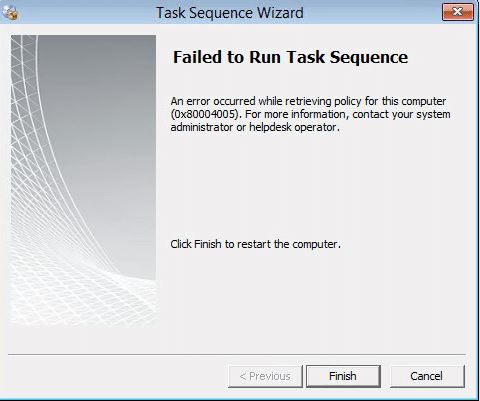
Now, the error code 0x80004005 is a generic one so we have to check the SMSTS.log file to find out what is actually happening. There are several locations this log file can reside depending on what stage the TS is in. I’ve listed below all of the locations the SMSTS.log file can be.
During OS Deployment
- Before the hard drive is formatted
X:\windows\temp\smstslog\smsts.log - After your hard drive is formatted
X:\smstslog\smsts.log
Within Windows
- Before the SCCM agent is installed:
C:\_SMSTaskSequence\logs\smstslog\smsts.log - After the SCCM agent is installed on a x86 system
C:\windows\system32\ccm\logs\smstslog\smsts.log - After the SCCM agent is installed on a x64 system
C:\windows\SysWOW64\ccm\logs\smsts.og\smsts.log
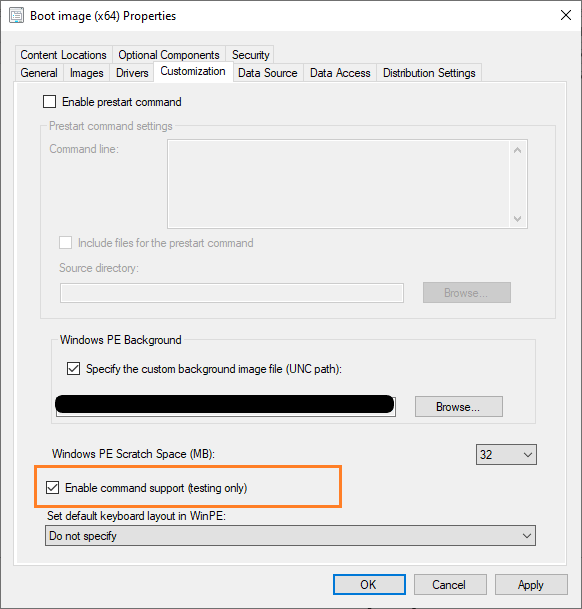
In order to have the option of command prompt (F8) within the TS, we have to Enable Command Support within the boot image. Right click on the boot image and go to Properties. In the boot image properties go to the Customization tab and find the command support option towards the bottom of the screen. This is only recommended for testing purposes and is not recommended to be left on.
Within the TS, press the F8 key and you will get to the command prompt. To open the log file you will have to use Notepad.exe. For example:
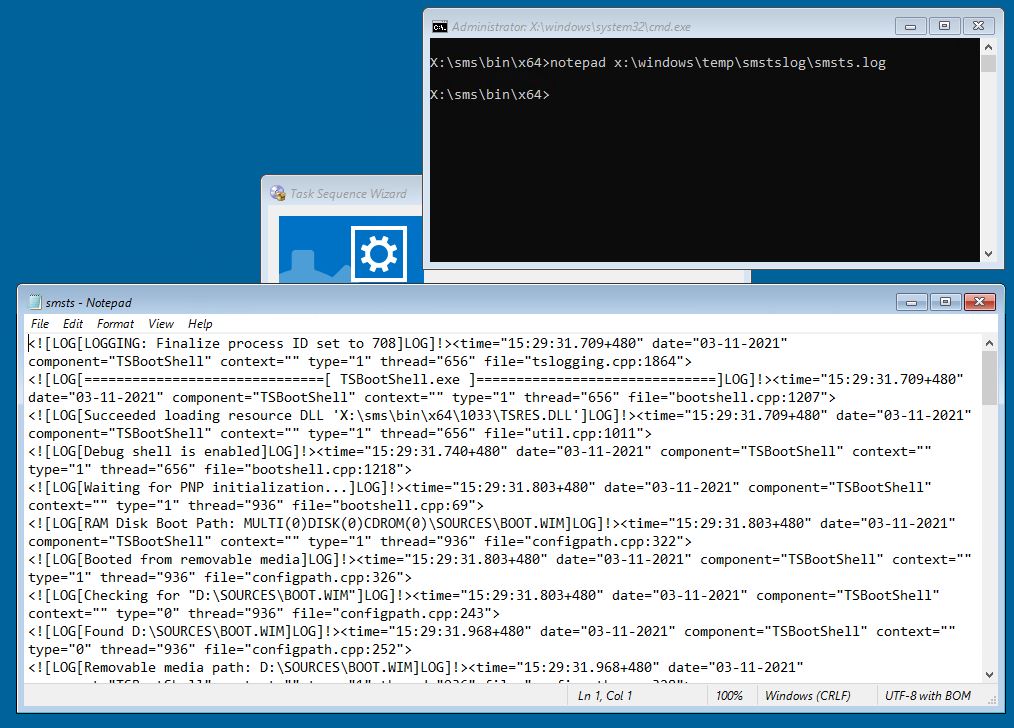
Upon checking the SMSTS.log file I found the error message: Launch mode not defined
For this specific error the admin was just removing the USB flash drive as soon as the TS loaded and before the imaging process even began. Verify you are not removing the USB flash drive until the imaging process actually begins.

