One of our SharePoint contributors wanted to embed web content into a SharePoint site but was coming across the following permissions issue: “Embedding content from this website isn’t allowed.” As site collection administrators, we have access to allow or disallow embedding content from external sites.
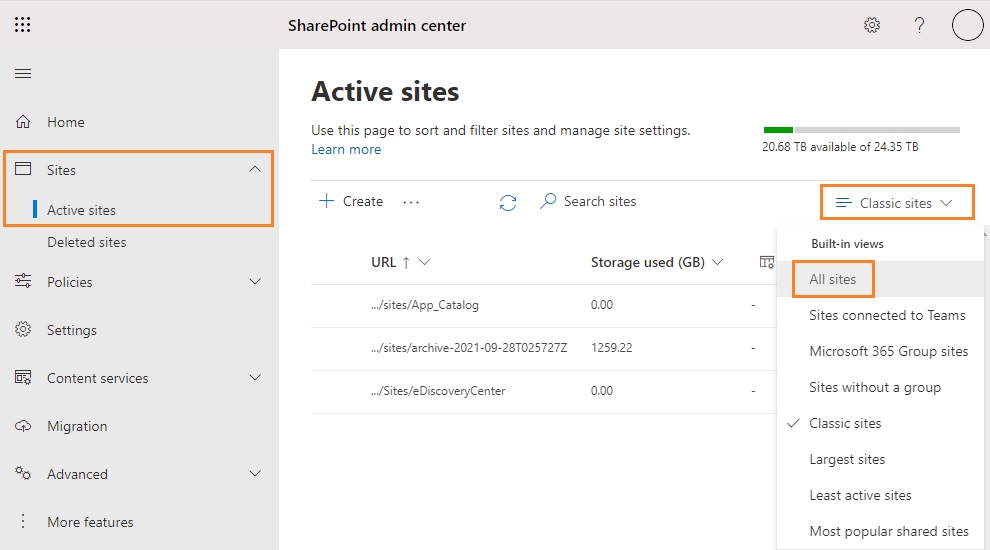
Navigate to the SharePoint Admin Center and click on Active sites. Once on the Active sites page, make sure to show All sites as it may default to Classic sites.
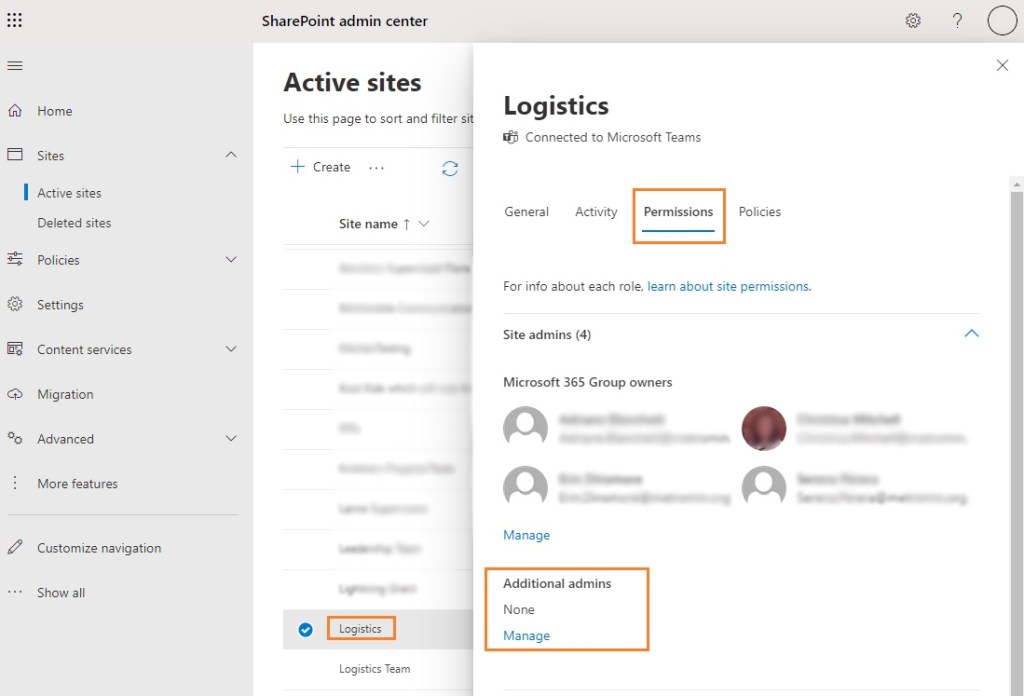
Even if you already have the SharePoint Administrator role assigned, you may still need to add yourself as an administrator for the site. Click on the site you want to edit and on the flyout, click on the Permissions tab. Under Additional admins, click on Manage to add yourself.
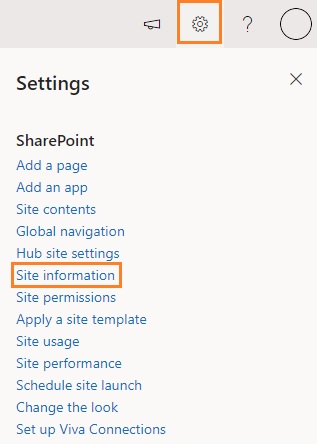
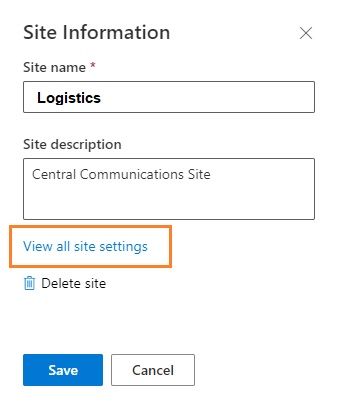
Once you have added yourself as an administrator, you can now navigate to the URL of the SharePoint site and click on Settings>Site Information.
Next, click on View all site settings.
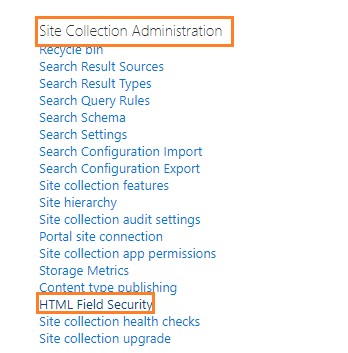
In the all site settings page, click on HTML Field Security under the Site Collection Administration section.
On the HTML Field Security page, you will have three options.
- Don’t allow contributors to insert iframes from external domains.
- Allow contributors to insert iframes from any domain.
- Allow contributors to insert iframes only from the following domains.
What you choose will be up to your specific needs.
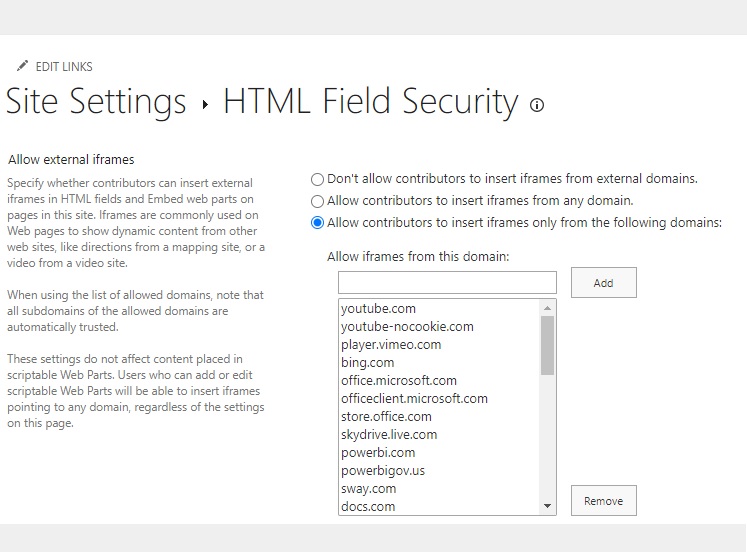
SharePoint comes with default websites and you can add/remove sites as needed.

