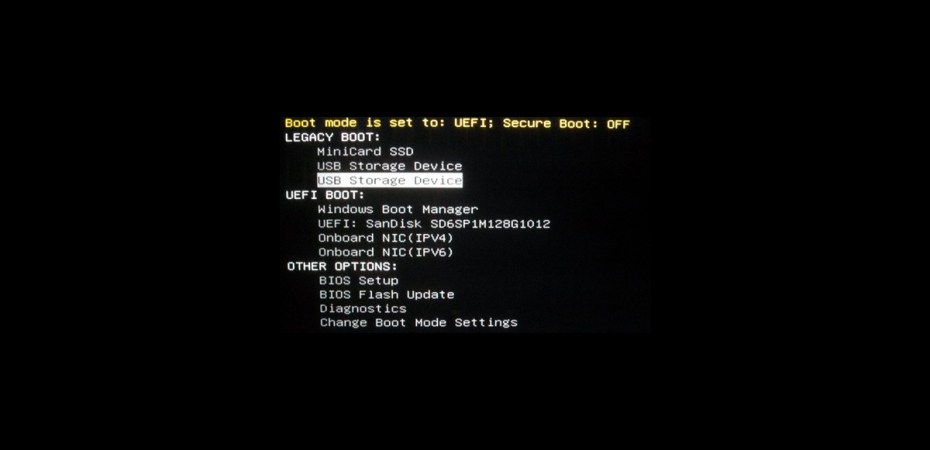
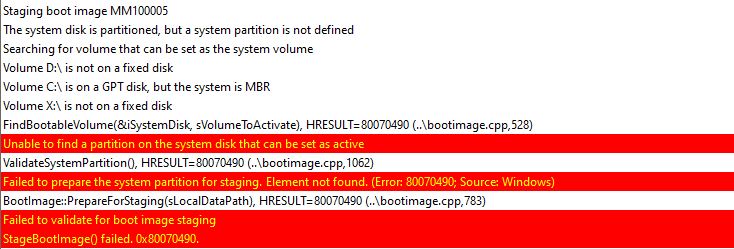
When using a USB flash drive to run your Task Sequence (TS), sometimes you will come across an error code 0x80070490 within the beginning stages of your TS. We need to refer to the SMSTS.log file to identify more information. Upon checking the log file we noticed additional errors:
Unable to find a partition on the system disk that can be set as active
Failed to prepare the system partition for staging. Element not found
Failed to validate for boot imaging stage
Bootable media should boot in the same mode as your system to correctly perform image operation. The mode your system boots in is shown during the initial machine boot:
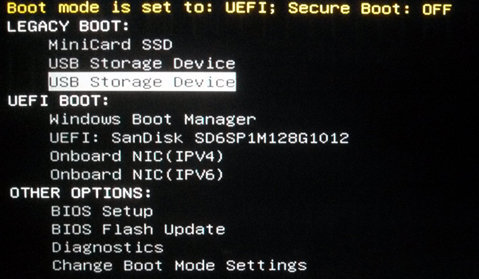
We were initially trying to load the USB Storage Device from Legacy Boot and that was causing the error. We attempted to switch to Legacy Boot in the BIOS but still continued to get the same error code. As soon as we chose the option to load the flash drive from UEFI Boot, we were able to continue and complete the imaging process.

