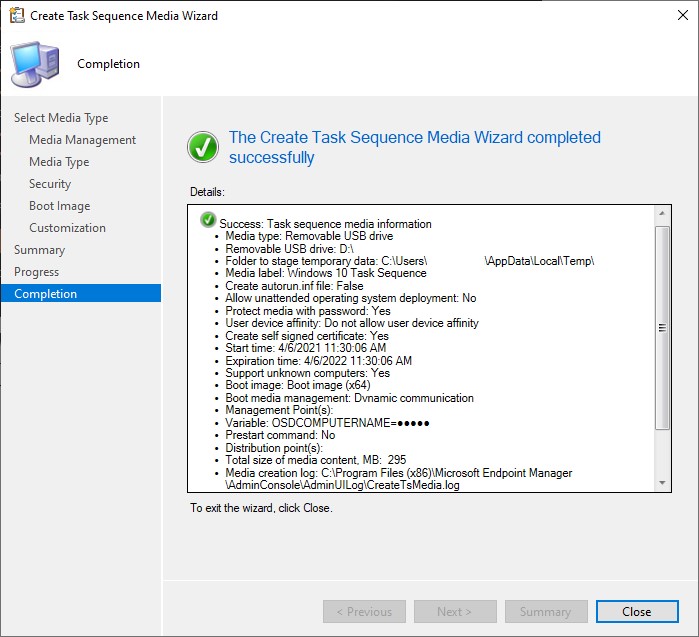
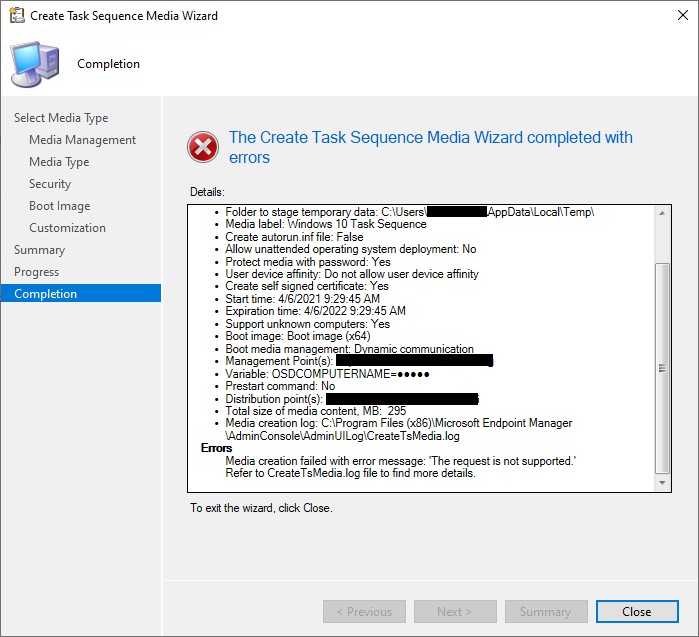
I was attempting to create a bootable USB flash drive with our Task Sequence (TS) and was coming across an error. The error message was: Media creation failed with error message: ‘The request is not supported.’ Refer to CreateTsMedia.log file to find more details. I created bootable flash drives many times before using the same TS so I was concerned that something had broken. Here is the error message below.
The log files for creating TS media are generated on the computer where the Configuration Manager console is installed. So I went ahead and opened the log file located in: C:\Program Files (x86)\Microsoft Endpoint Manager\AdminConsole\AdminUILog\CreateTsMedia.log.
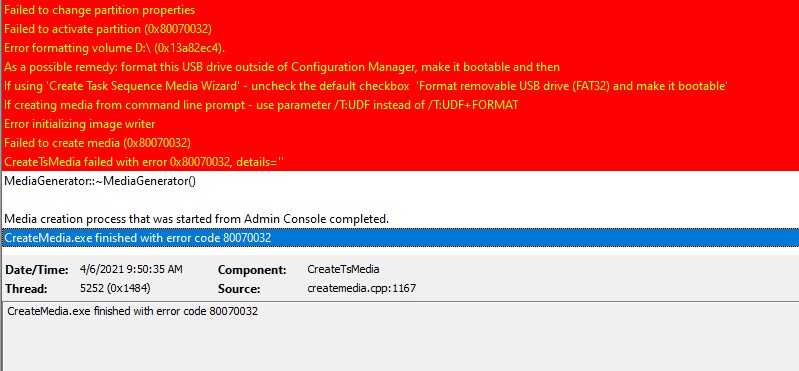
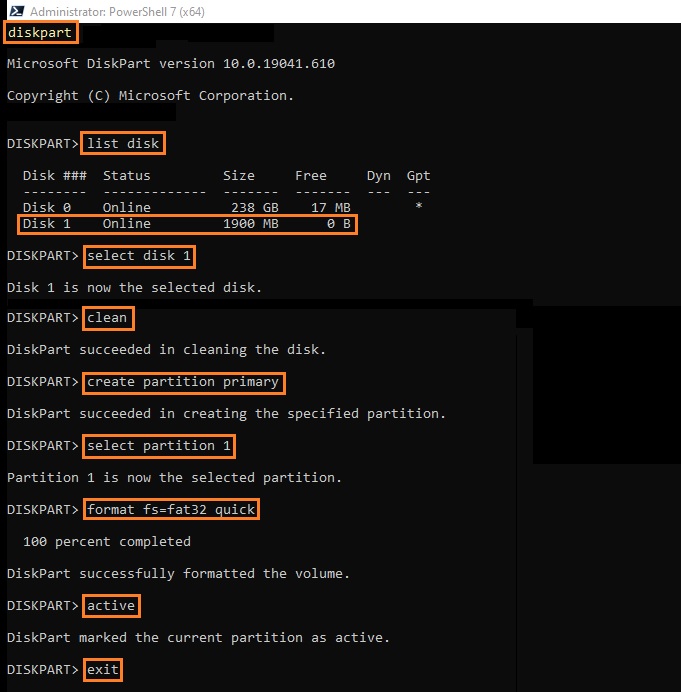
As you can see, the log file provides some suggestions on how to remedy the issue. I’ll go ahead and try to format the USB flash drive before creating the media using SCCM to see if that helps. If you are reading this post, you are most likely familiar with formatting a USB flash drive but we also have to make sure it is bootable. The best way to do this is by using the diskpart tool.
Open command prompt or PowerShell as an administrator
To start the diskpart tool, simply type: diskpart
Type list disk to show all of the storage devices
Type select disk <x> where <x> is the disk number of the drive in question
Type clean to erase all of the files on the drive
Type create partition primary
Type select partition 1
Type format fs=fat32 quick to format the drive with a FAT32 file system
Type active
Type exit
Once you have completed formatting and making the flash drive bootable, you can attempt to create the TS media again in Configuration Manager. Make sure to uncheck Format removable USB drive (FAT32) and make bootable. After doing these steps, I was able to create the media without an issue.