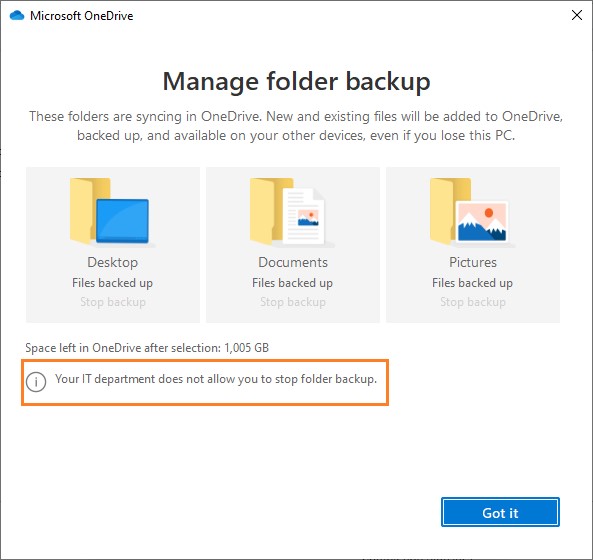
Using Configuration Manager, you can easily setup an automatic backup and sync of Windows known folders by creating OneDrive for Business Profiles. The folders identified as known folders are the Desktop, Documents, and Picture’s folders. If you have been trying to get your clients to back up their data to the Cloud, then this could be a great starting point. By redirecting known folders to OneDrive, your clients can continue using the same folders they are already familiar without changing any habits. If they move to another PC, their folders move with them. Not to mention this will also free up disk space.
At the time of this post, the only prerequisite is having the OneDrive sync client version 18.111.0603.0004 or later.
Create OneDrive for Business Profile
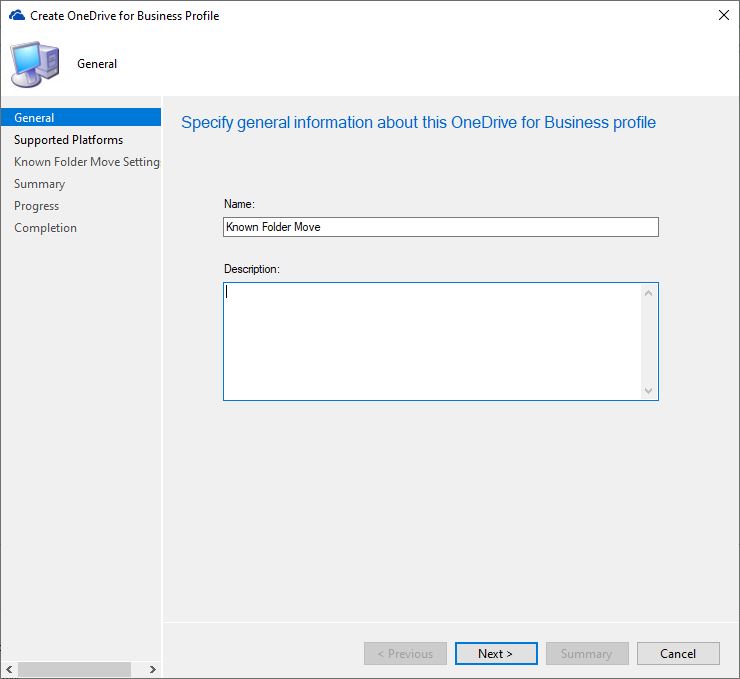
In Configuration Manager, lets navigate to Assets and Compliance>Overview>Compliance Settings>OneDrive for Business Profiles. Click on the Create OneDrive for Business Profile button at the top left. Give your new profile a name and click Next.
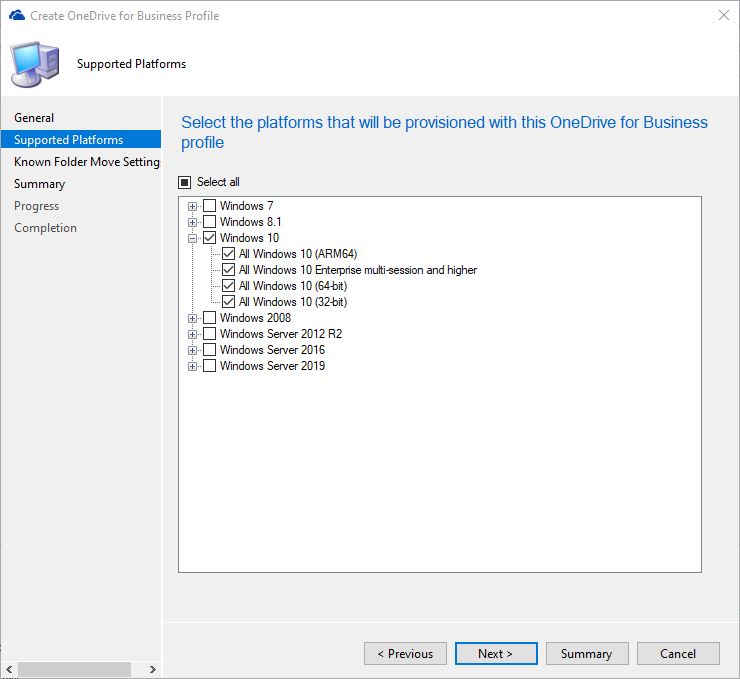
For supported platforms, select the operating systems you want provisioned with this profile.
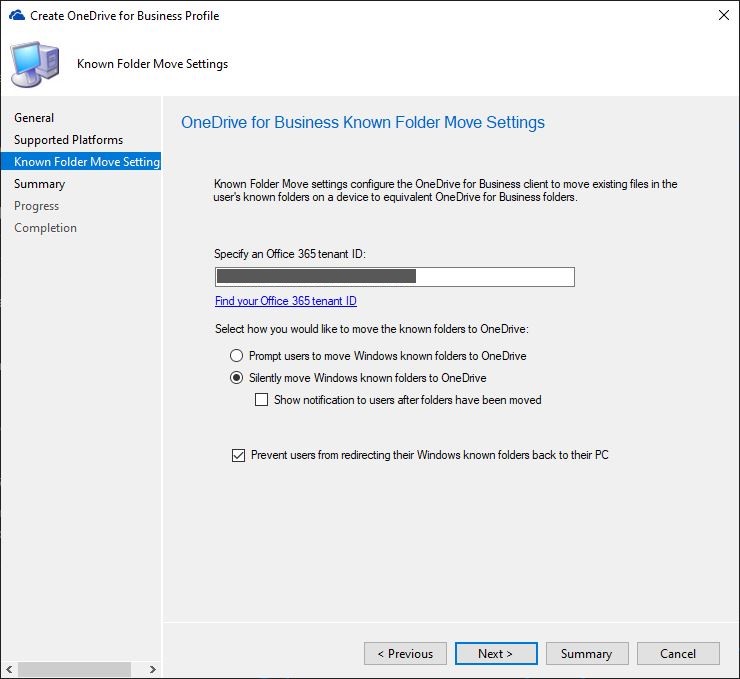
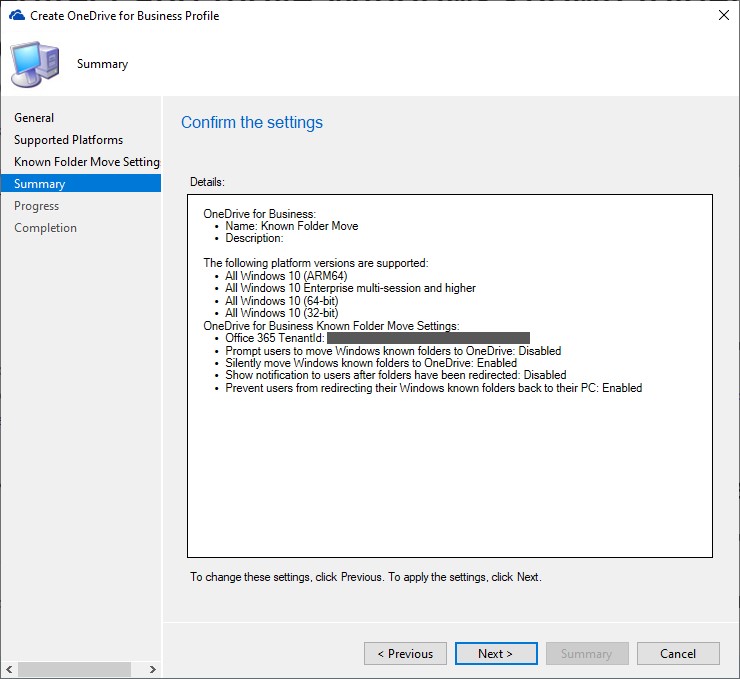
On the settings page, you will need to enter in your tenant ID. The options on this screen are transparent. I don’t want my users to know that this is happening, and I don’t want to give them the option either so I will choose to silently move the folders to OneDrive and will not be sending a notification. I also want to prevent my users from redirecting their folder back to their PC so I will select that option here as well.
Click Next on the Summary page and Finish on the Completion page.
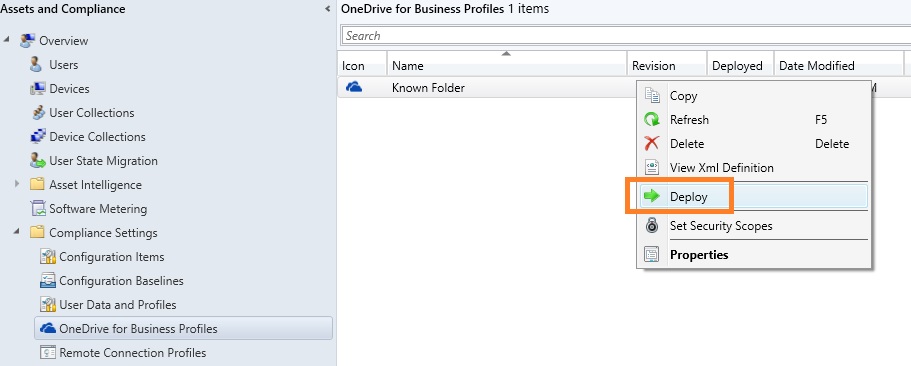
Right click on the newly created profile and deploy to the collection of your choice.
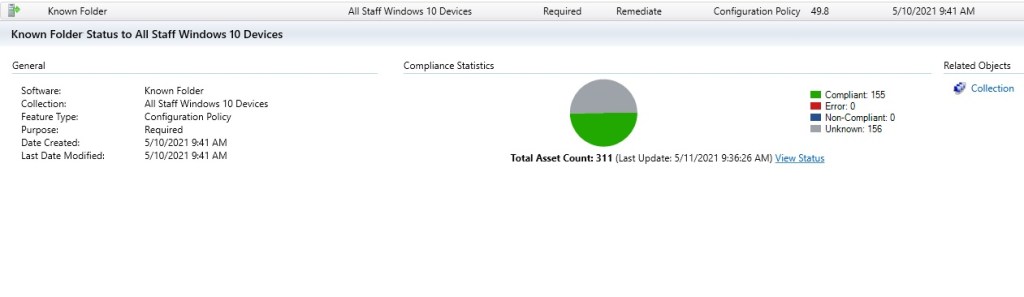
You can monitor the deployment by navigating to Monitoring>Overview>Deployments.
To see how this would look on a device, look for the OneDrive app in your taskbar, right click it and select Settings. In the OneDrive app, click on the Backup tab and click Manage Backup. As you can see, the option we set to disable the user from redirecting their folders has been set.