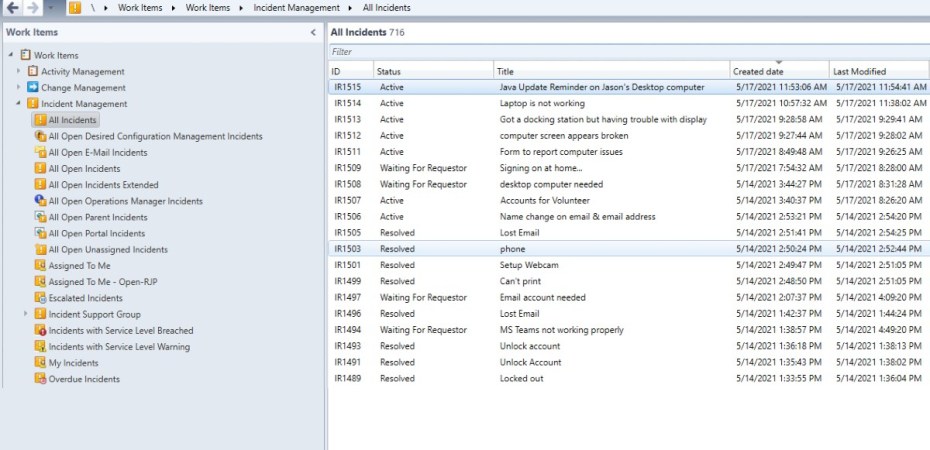
When we initially setup System Center Service Manager, there are undoubtedly a number of incidents that we create to test out the functionality of new Service Offerings. Like myself, you may not like all of the mess you created and want to find a way of cleaning it up. You can delete the incidents you want by using the Get-SCSMClassInstance cmdlet within the Service Manager PowerShell console.
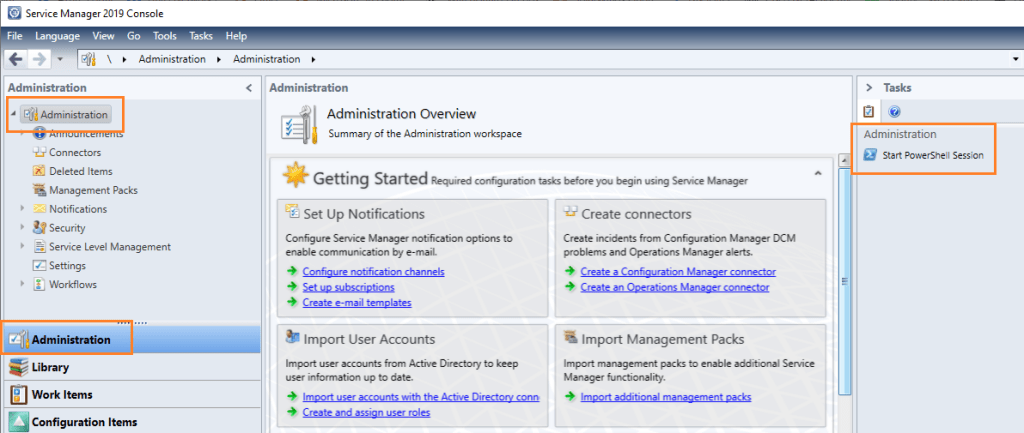
In the Service Manager console, go ahead and click on the Administration tab on the lower left or type in Ctrl+1 to go the Administration view. Once you are in the Administration view, click on Start PowerShell Session on the right hand side.
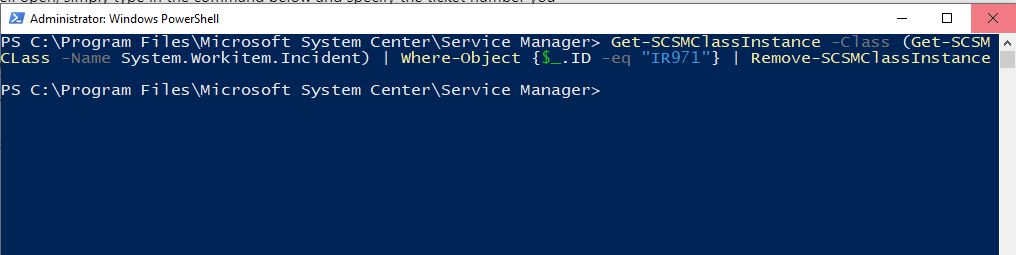
Once you have PowerShell open, simply type in the command below and specify the ticket number you want to delete by changing the number that follows IR (Incident Request).
Get-SCSMClassInstance -Class (Get-SCSMCLass -Name System.Workitem.Incident) | Where-Object {$_.ID -eq “IR971”} | Remove-SCSMClassInstance
Follow this process for any other tickets you want to manually delete instead of waiting for your retention time to expire.

