
I was working on one of my virtual machines through the VMware vSphere Remote Console and I noticed when I closed the console and re-opened it, the Windows session was still logged in. Obviously, this could be a potential security concern for session hijacking and many other threats. I wanted to find out how I could make the Windows VM auto-lock once I closed out of the console. I will walk you through the settings I configured in vCenter.
We will need to turn off the virtual machine if it isn’t already powered off.
Go to the virtual machine in question and select Edit Settings
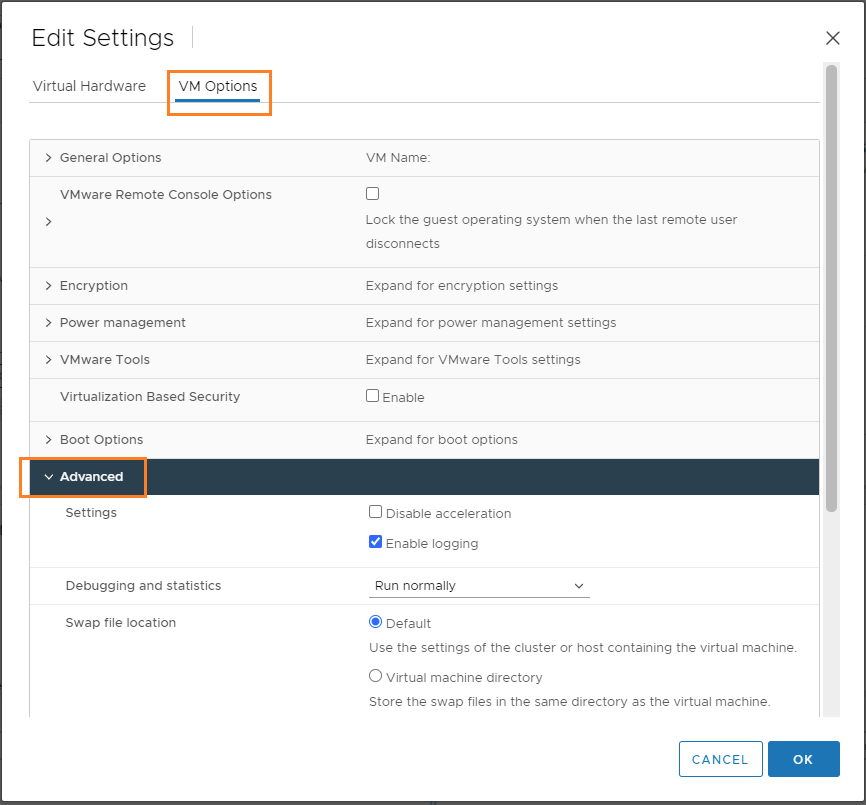
Select VM Options and then click on the dropdown to expand Advanced settings
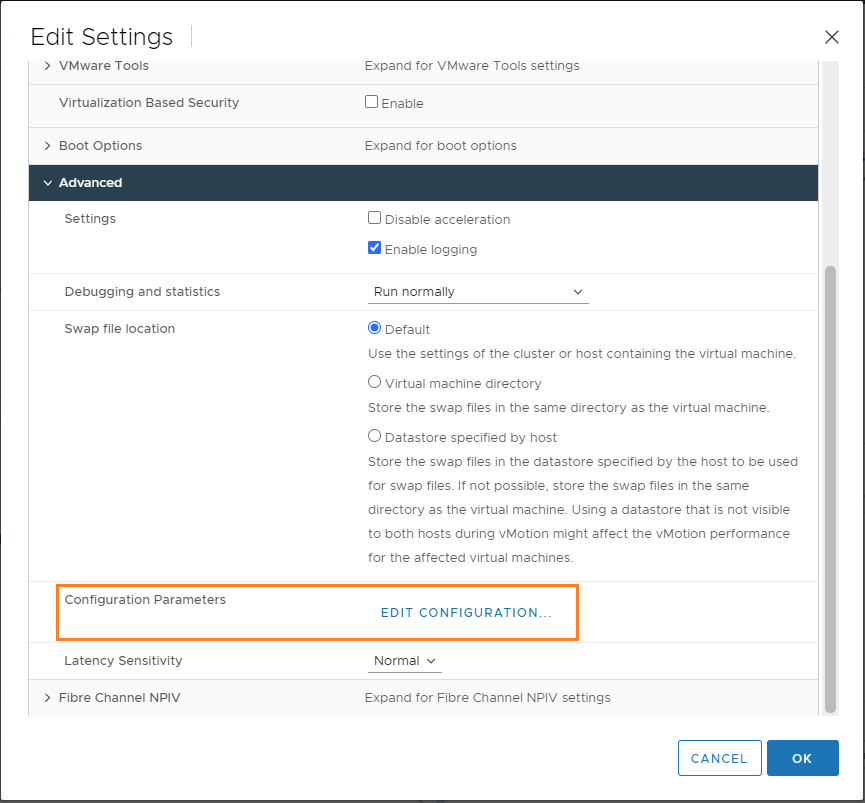
Scroll down until you see Configuration Parameters and click Edit Configuration
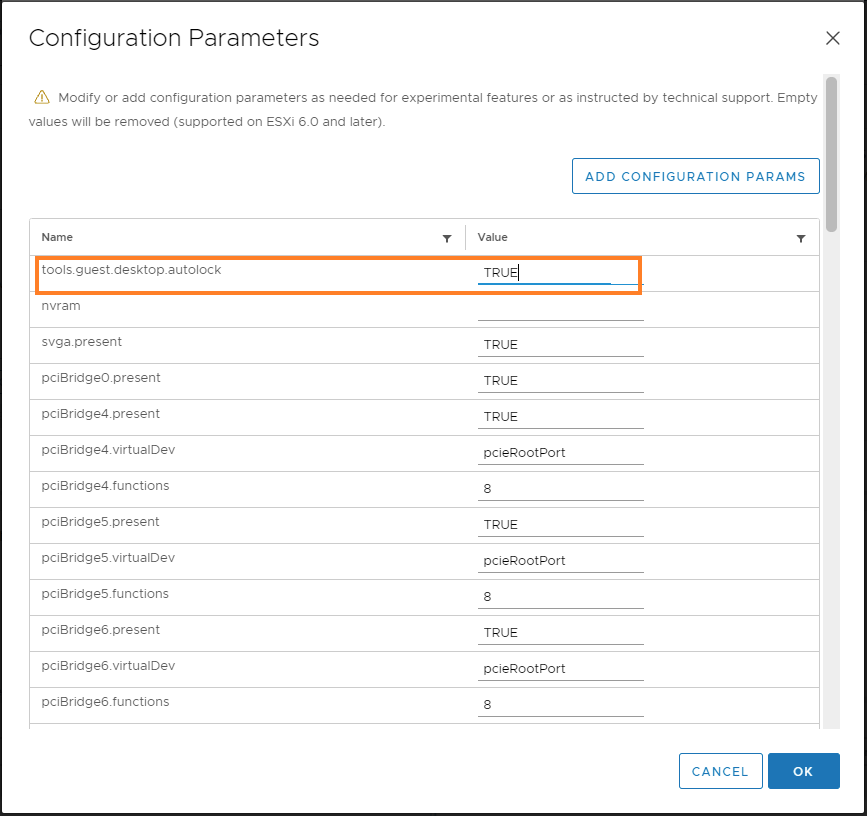
Look for the tools.guest.desktop.autolock settings and set the value to True. Click OK to exit the Configuration Parameters and click OK to exit the Edit Settings box
Now when you close the console, the virtual machine should auto-lock.

