
In our organization, we want to allow people to upload photos and files into their OneDrive account once their device is enrolled through Intune (Microsoft Endpoint Manager). There were some settings in place that were blocking this feature. All users were presented the message below: Sharing not allowed – Your organization does not allow this sharing.
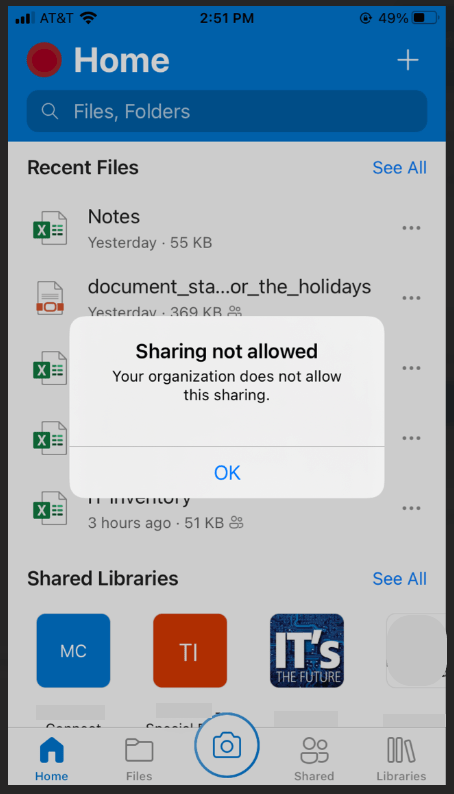
I inherited this Azure tenant and the Intune settings from a previous admin and didn’t realize there were still some settings left in place for App Protection. I will show you where to Enable/Disable this specific feature.
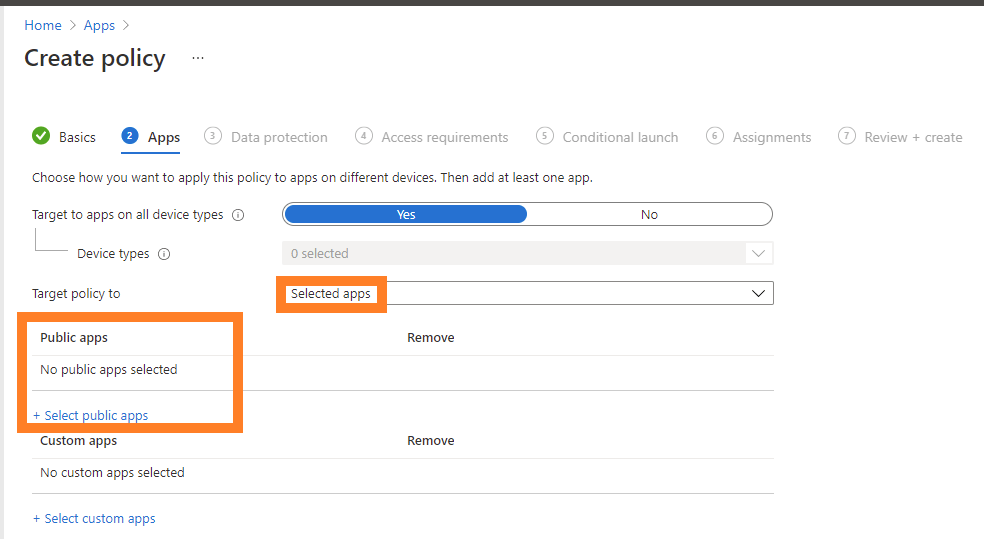
Login to Intune using administrator credentials and click on Apps>App Protection Policies or click here. Once you are in the App Protection policies page, click on Create policy and choose a platform (iOS, Android, Windows). On the Apps section, click +Select public apps and search for Microsoft OneDrive. Click Select and click Next.
Once you are on the Data protection page, we can select the necessary options.
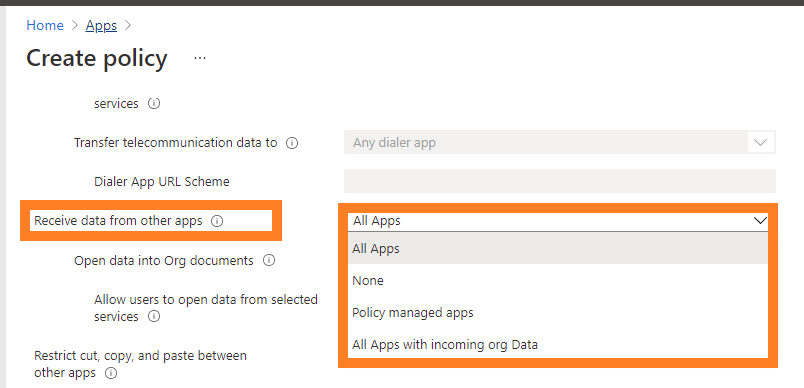
| Receive data from other apps | Specify what apps can transfer data to this app: All apps: Allow data transfer from any app. None: Do not allow data transfer from any app, including other policy-managed apps. Policy managed apps: Allow transfer only from other policy-managed apps. |
Once you create the policy or make the change, the user may need to sign out and back into the OneDrive app.

