
In this quick post, we will outline how to take a configuration backup of your ESXi hosts. We will be performing the task using a SSH terminal. I’ll be using Putty, but you can use your terminal of choice.
Backup Config
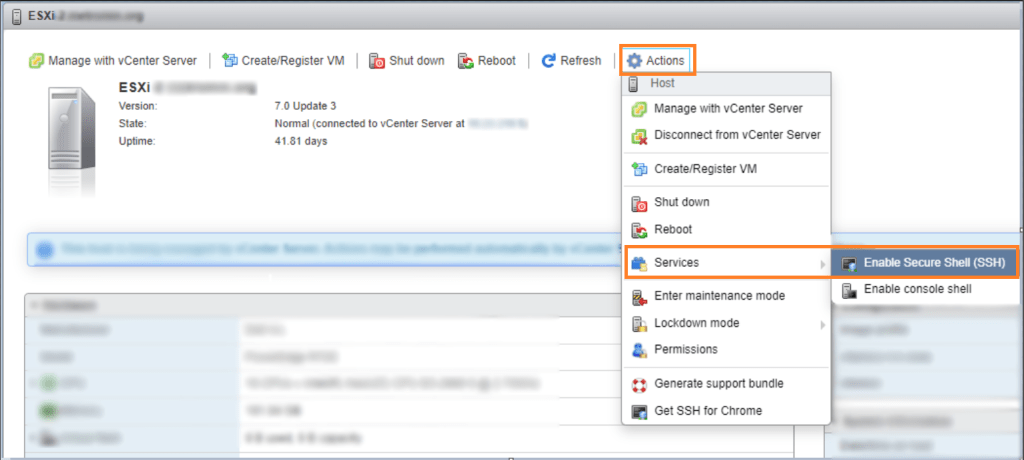
The first thing we need to do is enable SSH on the host.
Click on Actions>Services>Enable Secure Shell (SSH)
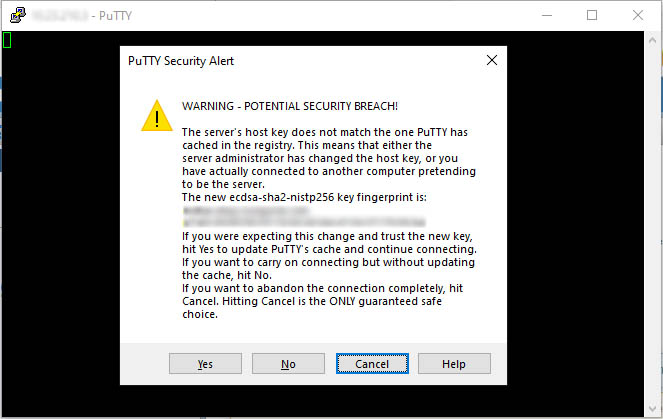
Click Yes if you get prompted
Login as root and enter your password
Type the following command to backup the configuration:
vim-cmd hostsvc/firmware/backup_config
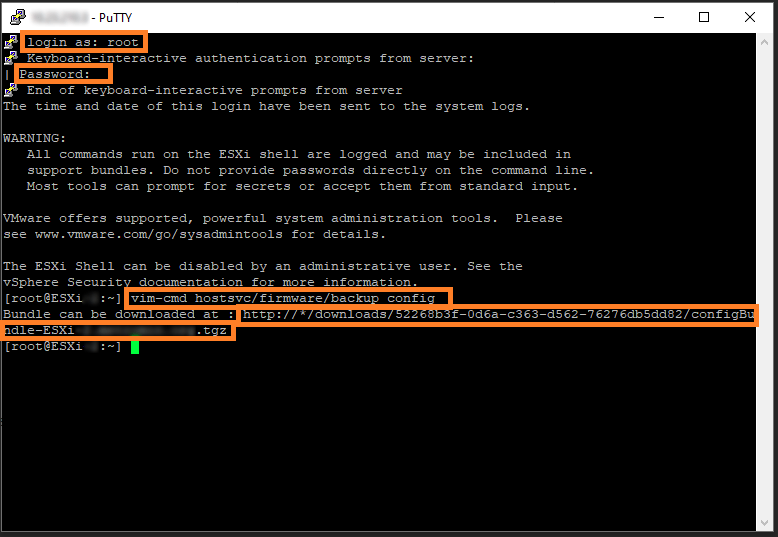
Once the configuration file has been created, you can download it from the link provided. In this case the URL is: http://*/downloads/52268b3f-0d6a-c363-d562-76276db5dd82/configBundle-ESXi.tgz
For *, enter in the hostname or IP address of the ESXi host. For example:
http://ESXi1/downloads/52268b3f-0d6a-c363-d562-76276db5dd82/configBundle-ESXi.tgz
Once you are finished, remember to disable SSH on the host.

