I was recently tasked with adding Send on Behalf permissions to a large group of users. I thought this would be a great time to brush up on some PowerShell skills and document the process.
First, we need to create a CSV of all the User Principal Names to add to the script.
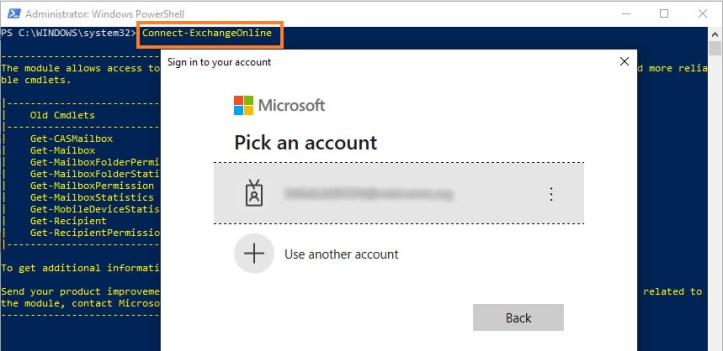
We will need to connect to the Exchange Online PowerShell module and login with an Exchange Administrator or Global Admin account.
In PowerShell, type: Connect-ExchangeOnline
The cmdlet we will be using is Set-Mailbox and the property will be GrantSendOnBehalfTo
We can use Get-Mailbox to check that Send on Behalf permissions are not currently set:
Get-Mailbox -Identity user@company.com | Select GrantSendOnBehalfTo

As we can see, this particular user doesn’t have any permissions set at this point. We’ll assume all other users are missing the Send on Behalf permissions as well. If you want to only add new permissions while retaining any existing Send on Behalf permissions, I’ve added that to the script below as well.
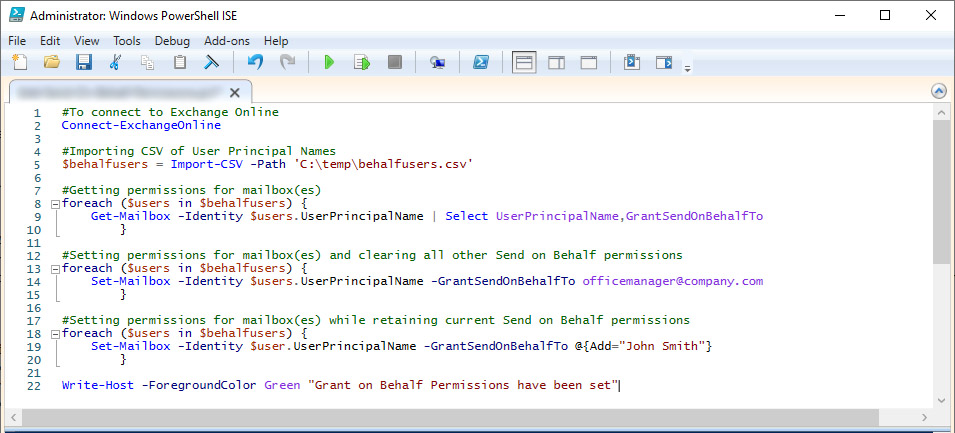
#Importing CSV of User Principal Names
$behalfusers = Import-CSV -Path 'C:\temp\behalfusers.csv'
#Getting permissions for mailbox(es)
foreach ($users in $behalfusers) {
Get-Mailbox -Identity $users.UserPrincipalName | Select UserPrincipalName,GrantSendOnBehalfTo
}
#Setting permissions for mailbox(es) and clearing all other Send on Behalf permissions
foreach ($users in $behalfusers) {
Set-Mailbox -Identity $users.UserPrincipalName -GrantSendOnBehalfTo officemanager@company.com
}
#Setting permissions for mailbox(es) while retaining current Send on Behalf permissions
foreach ($users in $behalfusers) {
Set-Mailbox -Identity $user.UserPrincipalName -GrantSendOnBehalfTo @{Add="John Smith"}
}
Write-Host -ForegroundColor Green "Grant on Behalf Permissions have been set"
For more information and scenarios related to mailbox permissions, check out this Microsoft article

